
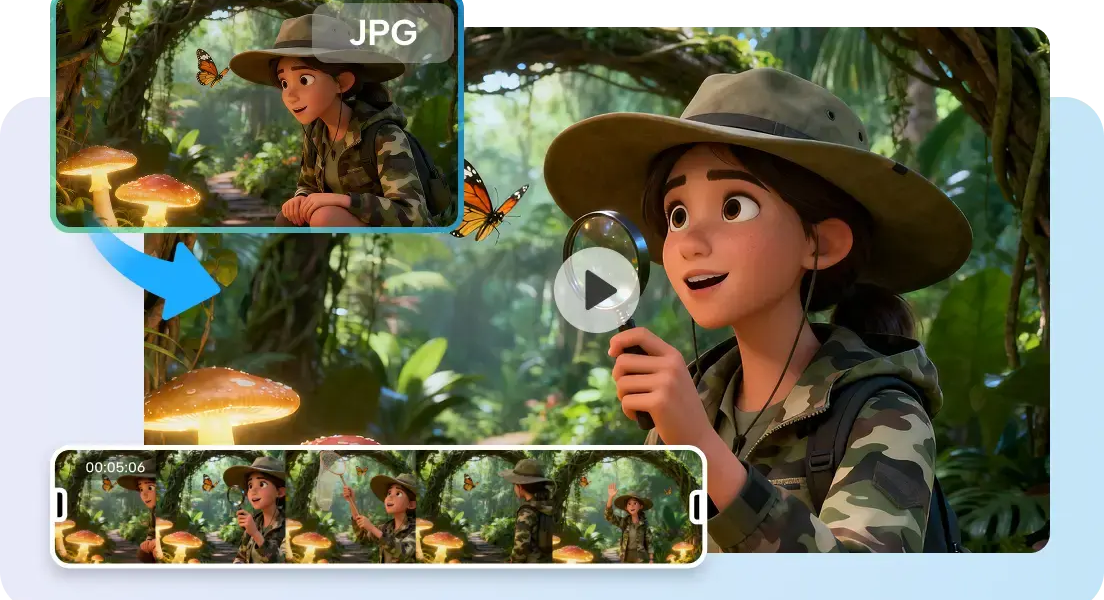

A 3D world model is a representation of spaces that are connected, not isolated images. ByteDance has delved into generative models for complex visual content, such as Seed3D for detailed 3D assets. This is a proposed world-model concept, which is not part of the released Seed3D products. Care must be taken when reading reports describing expected capabilities. According to the public pages of ByteDance’s research lab Seed, as of October 2026, it is Seed3D 2.0 that is being researched, not this concept of a world-model. This distinction is important because there are features that are expected but not tested. The discussion is structured around three questions: What is it? What can it do? Who is it for?
What This World Model Is Designed to Represent
The idea is not for one picture to be generated, but for connected, three-dimensional environments. While an AI video generator can generate frames or clips, a world model deals with spatial relationships. There can be environments, characters, objects, depth, and viewpoints in the same conceptual scene. This framework enables creators to determine the placement of elements prior to crafting refined visuals. A room, street, product display, or fictional landscape becomes one system. Distance, scale, camera position, and foreground relationships can be viewed from multiple perspectives. This helps with visual planning at the environment level. It also differs from traditional 3D software, unless special modeling features are officially confirmed. The concept is based on spatial knowledge and scene-level control.
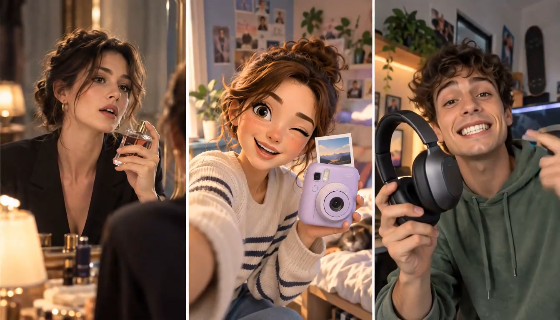
3D World Features at a Glance
Seeworld should be interpreted with caution as a likely ByteDance world-model idea. It is not yet known if it has been published as an application. It is proposed to have connected 3D environments and navigable perspectives. A game-like view would allow creators to explore scenes from various angles and locations. White-mesh presentation may remove colors when evaluating structure. It could be useful to have layout control to help position characters, props, buildings, and other elements. Generation could be based on existing visuals with the guidance of reference. Scene relationships might maintain object-to-environment relationships. These features imply a process that involves composition, depth, scale, and camera exploration. Until there is documentation to the contrary, reported features should not be considered as functionality.
Where a World-Model Workflow Can Fit Into Production
A world-model workflow can be used for environment planning, advertising visualization and pre-production work. Architecture teams would have the opportunity to investigate rooms, layouts, viewpoints, and surrounding elements earlier. Landscape designers might look at the relationships of terrain prior to the final visual treatment. Advertising creators would be able to put products into spaces and test scale and hierarchy. This ensures that products are visible and not lost. Product visualization can pre-test product placement prior to creating campaign visuals. Storyboarding allows directors to consider camera angles prior to locking in shots. Static references can bring up framing issues that are not apparent from different perspectives. Game-like design could explore spaces as navigable environments. Value is related to previous spatial decisions.
How to Create and Direct a 3D Scene With Pippit
Step 1: Map Features and Intended Uses
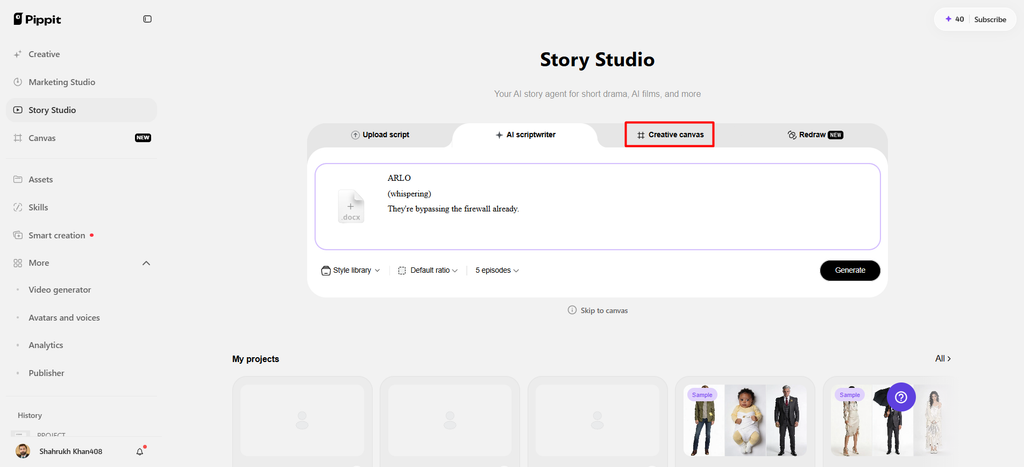
- Start inside “Story Studio” to organize Seeworld features, uses, and audience needs before production begins.
- Sign up for Pippit using Google, TikTok, or Facebook account information to access creative tools.
- Open “Story Studio” from the left vertical menu bar on the home page to begin planning.
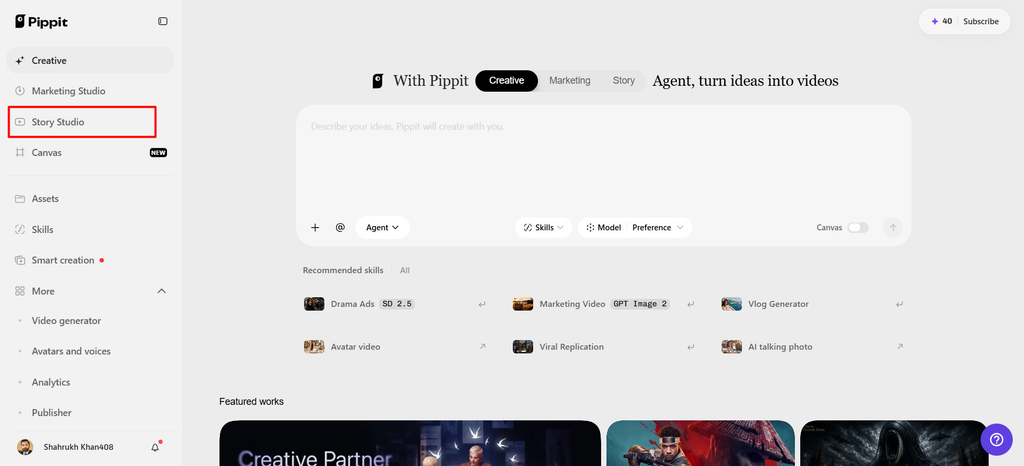
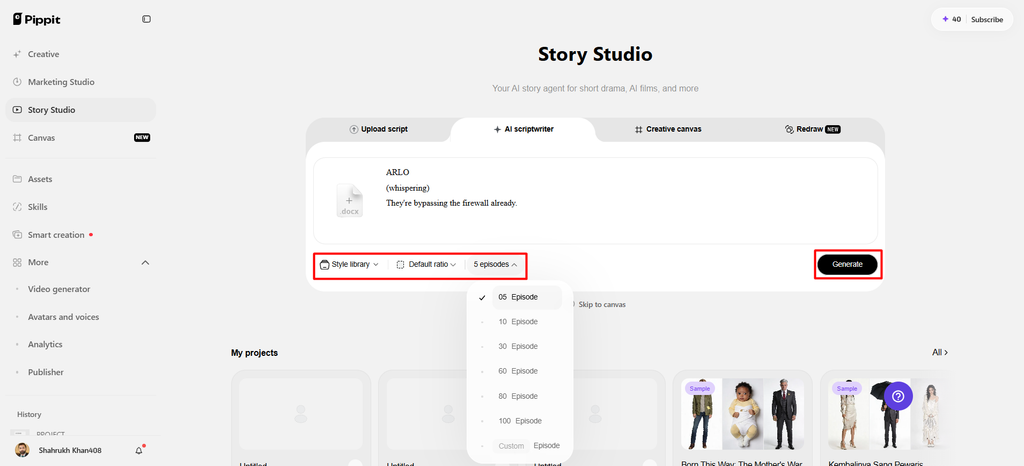
- Upload your script through “Upload script”, or add written material through “Paste script” when preferred.
- Use “AI scriptwriter” from the top menu to create scripts explaining features, uses, and audiences.
- Select a fitting direction through “Style library” to match your intended subject and presentation style.
- Open “Default ratio” to choose the output aspect ratio, then use “Episodes” for multiple sections.
- Finally, click “Generate” so AI can organize your planned content into a usable story structure.
Step 2: Develop Feature-Focused Assets
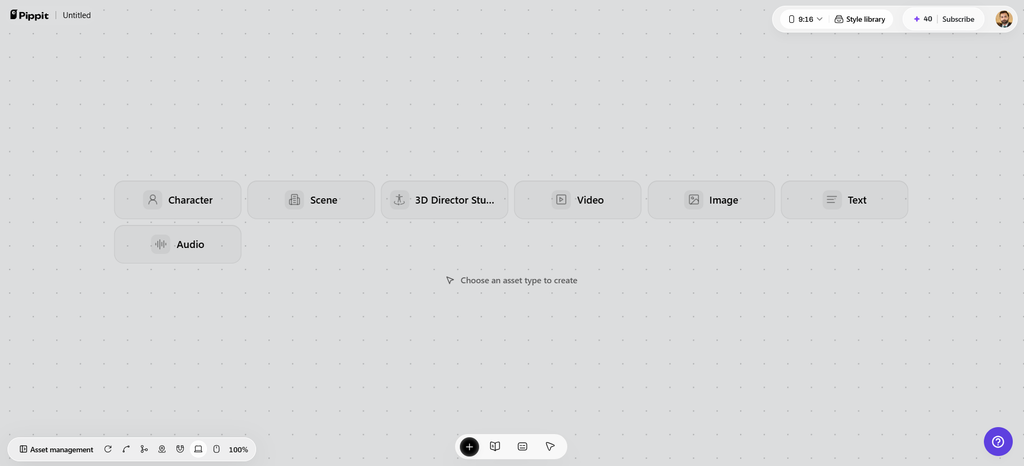
- Add images, scene videos, audio, and character roles through “Creative Canvas” for greater story control.
- Write detailed prompts covering character look, setting, lighting, camera angle, style, voice tone, mood, or context.
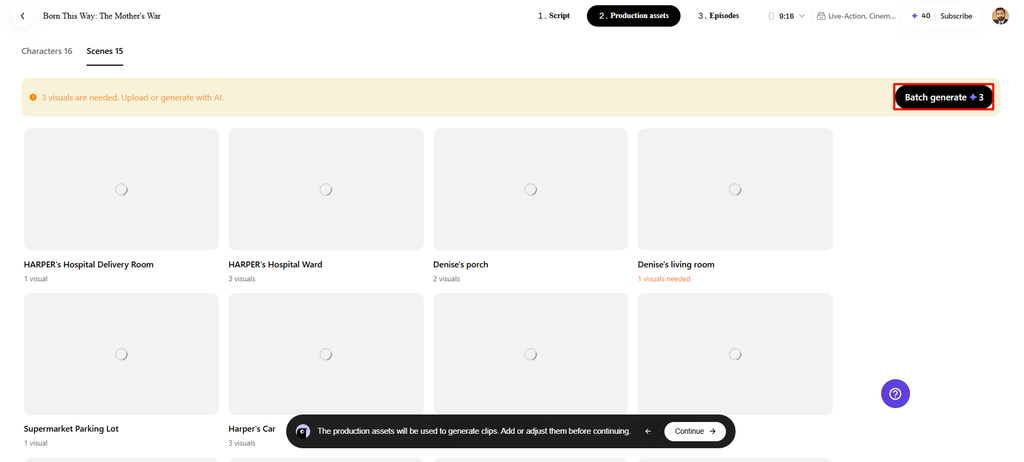
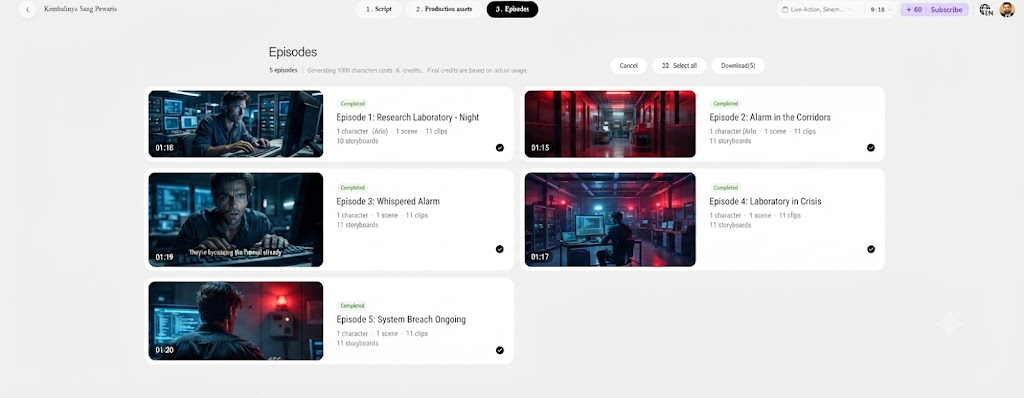
- After assigning roles, generating characters, and creating scenes, select “Batch generate” to create episodes efficiently.
Step 3: Refine and Save the Results
- Review characters, roles, scenes, and audio in Pippit, then refine details before finalizing your episodes.
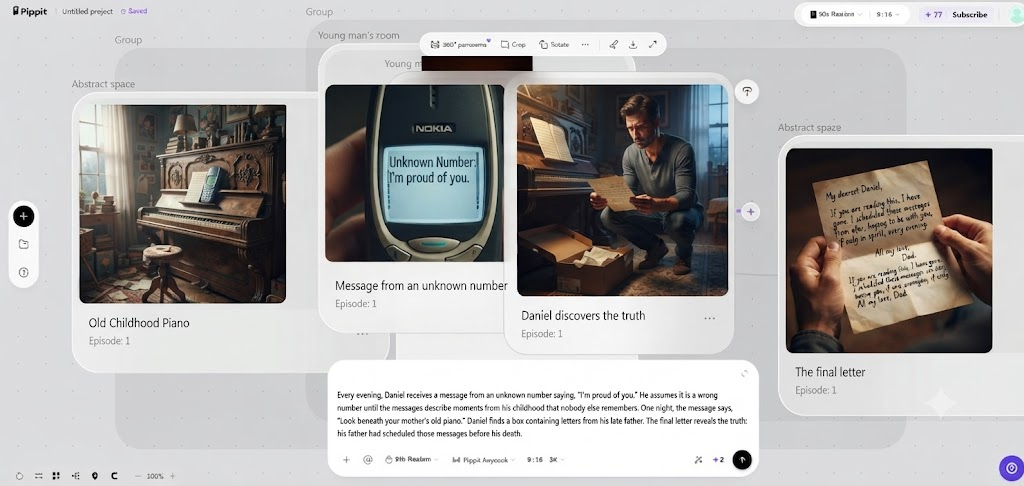
- Once satisfied, choose “Select all”, then click “Download” to save generated episodes onto your device.
Who Can Work With a 3D World-Model Approach?
A spatial workflow can be used in a number of creative roles as teams require different types of scene control.
- 3D Content Creators: Learn the basics of 3D before spending a lot on production details.
- Visual Pre-Production Teams: Block out environments, viewpoints, and scene relationships in the planning stage.
- Advertising Creators: Before final generation, think about the scale of a product, distance from the subject, and hierarchy.
- Game-Style Scene Designers: Look at environments as a navigable space instead of a single rendered frame.
- Storyboarding Teams: Try out camera positions and spatial relationships prior to locking individual shots.
- Product Visualization Creators: Set products in surrounding contexts and take account of spatial relations.
A World-Model Approach Compared With Conventional Generative Workflows
It’s not a matter of quality; it’s a matter of the creative unit being generated. Typical image generators concentrate on single images based on prompts and references. Video generators take that process into motion, timing, transitions, and sequential shots. Instead, the world-model approach focuses on connected environments, spatial structure, and multiple viewpoints. Conventional workflows may focus on ready-to-use visuals, whereas world models focus on explorable environments. World models focus on placement, depth, and relationships; conventional workflows focus on appearance. Both have their merits and drawbacks; no one is right or wrong when it comes to which is better, as it depends on the creative requirements. Image and video generation continues to be beneficial for last-mile campaign production. A spatial model can be used for planning to facilitate decision-making at the environment level. Pippit can supplement this process by arranging stories, scenes, assets, and outputs.
Limitations and Expectations to Keep in Mind
The largest drawback is the lack of translation from concepts to publicly tested functionality. Creators should not expect that all features will be available without an official release. The interfaces, quality, editing controls, export formats, availability, and limitations may vary prior to launch. Sequences of connected scenes can involve a significant amount of computing resources. Visual plausibility is not necessarily geometry or physical plausibility. Plan based on early outputs until capabilities are documented. When source material is very weak in spatial information, results may be constrained by reference images. Scale errors, intersections of objects, inconsistent details, and unclear depth can be added by complex scenes. Despite automated scene generation, careful review is required. Pippit addresses current production needs, without creating new, unreleased production capabilities.
Conclusion
The proposed approach is to move creative thinking from the discrete frame to the connected environment and to the spatial relationships. Strengths will be navigable perspective, layout control, references, and scene exploration. These capabilities may be able to assist with pre-production testing of compositions. Availability and final specifications are subject to official documentation from ByteDance. Verified capabilities and expectations are not mixed together to avoid unrealistic expectations. Pippit provides a way to plan structured stories, scenes, assets, and video. As technology matures, that workflow can help resolve spatial concepts into clearer production references.